Project-owned context
Nested source organization, schema definitions, transcripts, and corrections stay with the project.

auScriptorium brings audio files, local transcription, speaker identity, and research annotation into one dependable desktop workspace.
Local macOS workspace · Windows coming soon
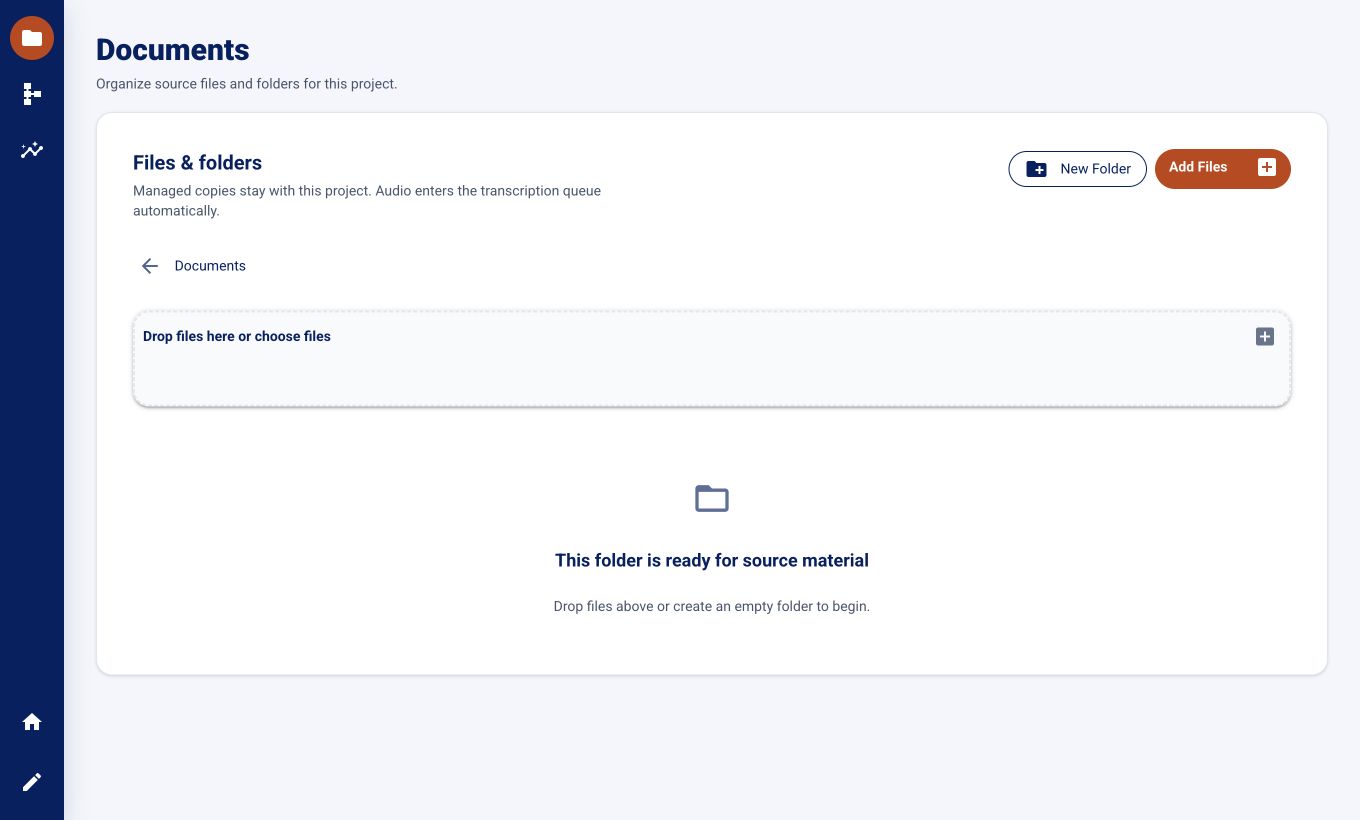
Research recordings gather context at every stage: folders, processing choices, speaker mappings, corrections, and the annotations that make a transcript useful.
auScriptorium keeps those decisions in one local, inspectable project. The source remains close while you move from raw audio to evidence you can review and revisit.
Nested source organization, schema definitions, transcripts, and corrections stay with the project.
Map detected voices to project speakers, play the recording, and correct transcript chunks in context.
Define your own labels and relationships, then review grounded suggestions before they become trusted examples.
One continuous path, with human judgment visible at every step.
Build a managed library with folders and project-owned copies of supported audio files.
WhisperX creates time-aligned transcripts while queue status, progress, retry, and cancellation stay visible.
Connect detected voices to known speakers, listen in place, and make focused chunk-level corrections.
Apply project-specific fields, tags, labels, and relationships, then browse the evidence across documents.
Name the people, fields, tags, labels, and relationships that matter to your project before the annotation work begins.
Actual auScriptorium interface shown
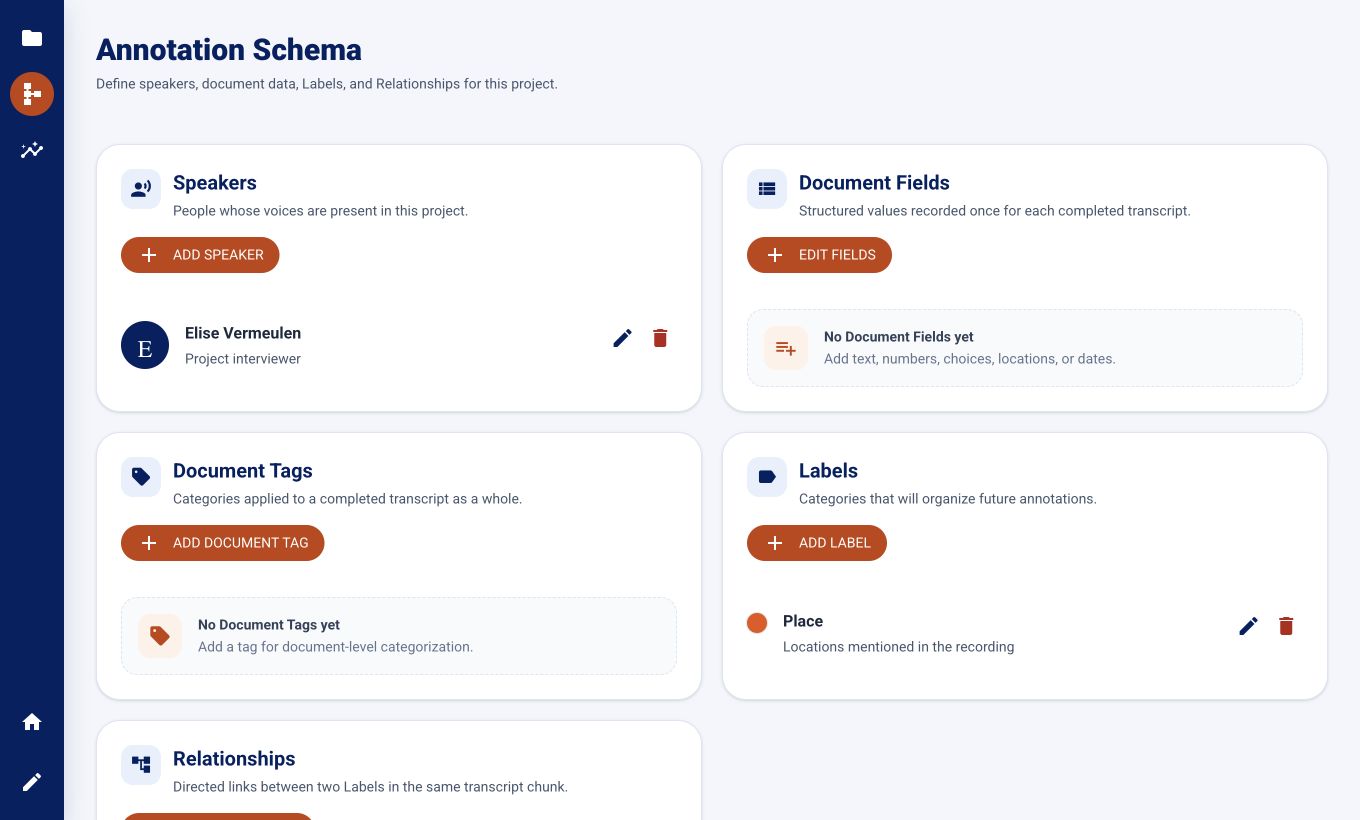
auScriptorium keeps the interface calm while preserving the detail that research decisions depend on.
Keep project speaker mappings above the transcript while chronological chunks scroll independently.
See which chunk is playing, keep it in view automatically, and pause follow behavior when editing.
Edit one chunk at a time or override its speaker without changing the read-only timing boundaries.
Browse tags, labels, and people, then return to the exact source transcript position without autoplay.
The macOS beta is ready to download. auScriptorium runs as a local desktop application; a Windows version is in preparation.
Beta software may change as the research workflow is refined.